Sync Database
The Sync Database tool is designed to maintain data integrity between standard OpenCart tables and the extended tables used by the Attributipro module.
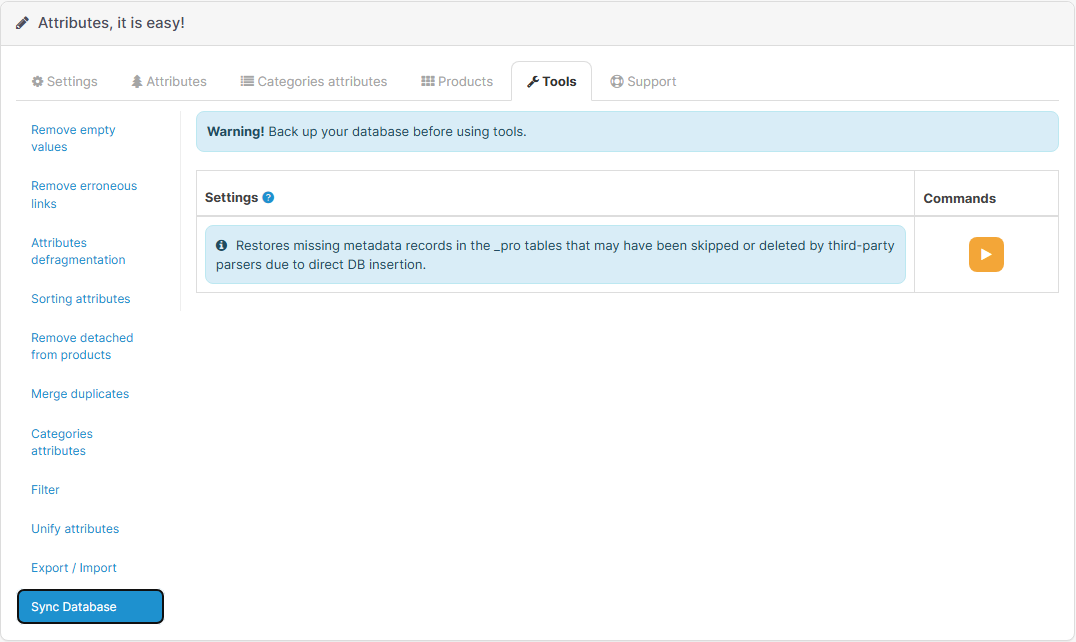 |
|---|
| Synchronization tool interface |
Why is it needed?
The Attributipro module uses its own database tables (with the _pro suffix) to store additional metadata: icons, images, tooltips, and unit of measurement links for each attribute.
When you add attributes through the module's interface, data is written to both tables automatically. However, there are situations where this link might be broken.
If attributes were added or modified bypassing the module (e.g., via third-party import or directly in the DB), extended metadata might not be created. Normally, the module uses the OpenCart Event System for automatic synchronization, but if these events are disabled or not supported by a third-party tool, the link is broken.
Key Events:
admin/model/catalog/attribute/addAttribute/afteradmin/model/catalog/attribute/editAttribute/afteradmin/model/catalog/product/addProduct/afteradmin/model/catalog/product/editProduct/after
When to use Synchronization?
It is recommended to run this tool in the following cases:
- After bulk import: If you used import modules (CSV, XML, Excel) or parsers that write data directly into standard OpenCart tables.
- After manual DB edits: If you made changes to the
attributeorattribute_descriptiontables via SQL queries. - Upon module installation: If you already had an attribute database before installing Attributipro and want to enable all extension features for them.
- If tooltips or icons are missing: If you notice that you cannot set or display extended data for some attributes.
How it works?
When you click the start button ("Play" icon), the module performs three sequential steps:
- Attribute Check: Searches for records in the
attributetable that lack corresponding records inattribute_proand creates them with default parameters. - Description Check: Analyzes the
attribute_descriptiontable and creates missing records inattribute_description_profor all languages. - Relationship Restoration: Verifies the integrity of links between products and their attributes within the context of extended data.
Upon completion, you will see a message indicating the number of restored records. Now all your attributes are "visible" to the module and ready for extended features.
Important Notes
- Safety: The tool only adds missing records and does not delete existing data. It is a safe operation.
- Regularity: There is no need to run synchronization frequently if you only work through the module's interface. Use it only as a "repair" tool after external database manipulations.