Export / Import
Export and import functions work for two data formats: SQL and CSV.
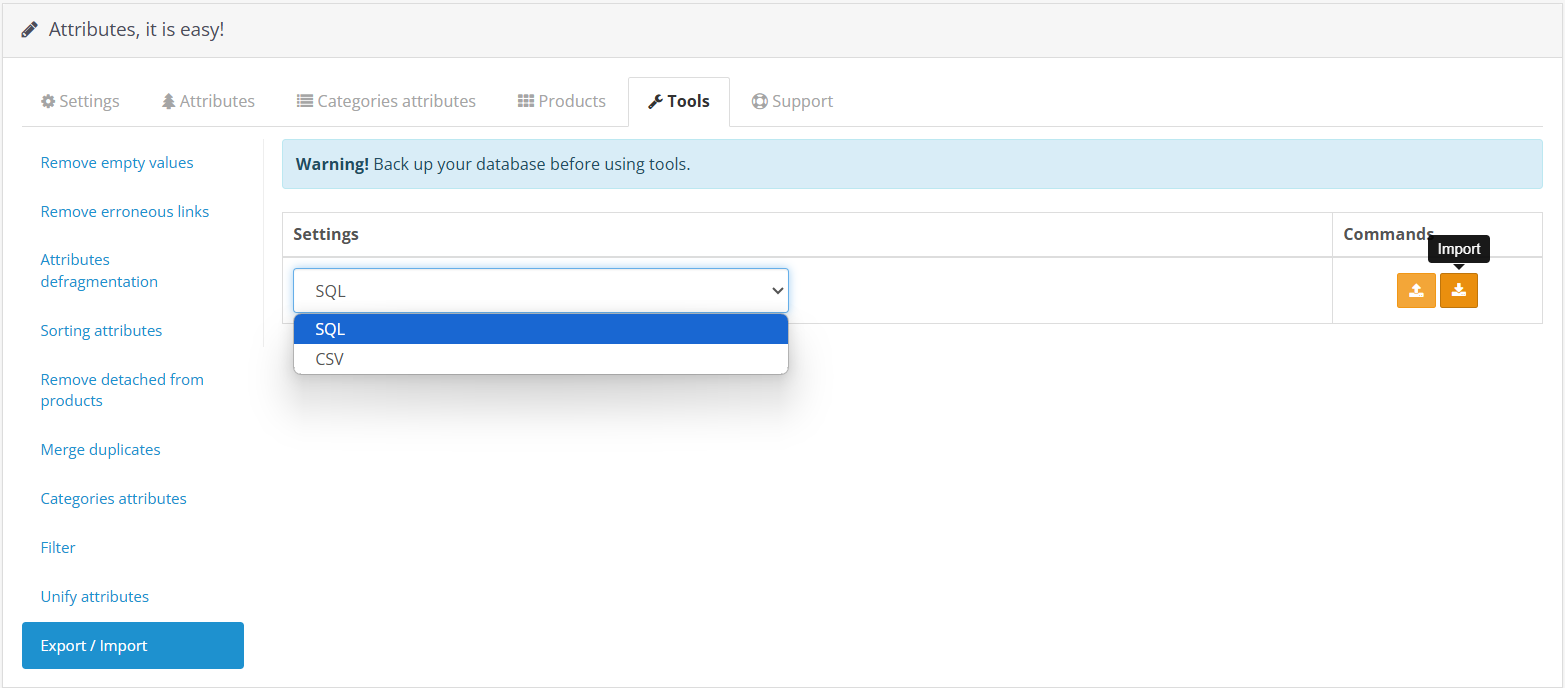 |
|---|
| Export / Import Tools |
SQL Import and Export
Built-in OpenCart utilities are used for exporting and importing data in SQL format, but the list of tables is limited to only those related to Attributes, Values, and their metadata.
| Table |
|---|
| attribute_group |
| attribute_group_description |
| attribute |
| attribute_pro |
| attribute_description |
| attribute_description_pro |
| product_attribute |
| product_attribute_pro |
| category_attribute |
| unit |
| unit_description |
| attribute_interlink |
CSV Import and Export
The CSV format in the Attribut&pro module is optimized for initial population and the safe transfer of large amounts of data between different sites. It is also highly suitable for mass editing attributes via spreadsheet processors (like Excel or Google Sheets).
Below are the key features and logic of how these tools work.
Exporting Data
The export process is maximally simplified. When you launch an export, the module automatically generates a structured CSV file containing your data.
Important: The generated file is downloaded automatically and saved to your browser's standard "Downloads" folder.
It is highly recommended to use the export file as a template: if you wish to mass-add new attributes or products, download your existing catalog first. The resulting file will serve as a perfect template with the correct set of columns (_PRODUCT_ID_, _ATTRIBUTE_NAME_, etc.).
How Import Works
During import, the module does more than just transfer text; it correctly reconstructs the data structures of your catalog.
"On-the-Fly" Creation of Missing Data
If the uploaded file contains Attributes or Attribute Groups that do not yet exist in your store, the module will automatically create them. It only requires that their text names (attribute_name, group_name) are filled in the file.
If the identifiers in the file are empty or equal to 0, the module will automatically assign proper new IDs in the database to these entities. You can safely leave 0 in the ID columns when adding new records.
Automatic Language Mapping
During import, automatic language mapping is used based on the language code (language_code). This means you can export a product from a store where English has id=1, and correctly load it into a store where English has a different identifier (e.g., id=2). The module will distribute the languages correctly without creating duplicates.
Safe Category Handling
The module can link imported products to existing categories by matching their names. However, the module intentionally DOES NOT create non-existent categories automatically.
Why is this done?
- Protecting Catalog Architecture: A single typo in a CSV file (e.g., "Smarphones" instead of "Smartphones") would instantly create a duplicate, junk category in your store.
- Missing Meta-Data: Categories require parents, SEO URLs, descriptions, and images. A simple CSV row cannot provide the complex hierarchical data needed to correctly build a category tree.
Therefore, if a category specified in the CSV is not found in the database, the product is imported to the store's root, and a warning is written to the system log so you can easily identify discrepancies and create the category manually if needed.
Logging and Debugging
For full control over the import process, the module maintains a detailed event journal. All actions are recorded in a specific log file: attributipro_import_debug.log (located in the standard OpenCart log section: System -> Maintenance -> Error Logs or inside the system/storage/logs/ directory).
In this log, you can always track:
- DEBUG: Successful creation of new Attributes, Attribute Groups, and Products, including their newly assigned IDs (e.g.,
Created new Attribute Group: Processor (ID: 7)). - WARNING: Notices about non-critical issues (for example, if a category specified in the file is not found in the store:
Warning: Category 'Radios' not found in database). - ERROR / SKIPPED: Processing errors for specific rows (for example, if a row is completely empty or missing mandatory fields like
product_idorlanguage_code).
It is highly recommended to check this log file after importing large catalogs to ensure all data was mapped and processed correctly.
High Performance
Importing files containing thousands of rows often causes resource issues on servers. In Attribut&pro, the import process is deeply optimized:
- In-Memory Caching: Instead of constantly querying the database (for example, if a file contains 100 features for the exact same smartphone), the module remembers the products and attributes it has found in RAM. This reduces the database load tenfold.
- Batch Processing: Files are processed and saved in portions. The clearing of the store's system cache (a very resource-intensive operation) occurs only once at the end of each large batch, making the import extremely fast and preventing the server from "hanging".