Merge Duplicates (Deduplicate)
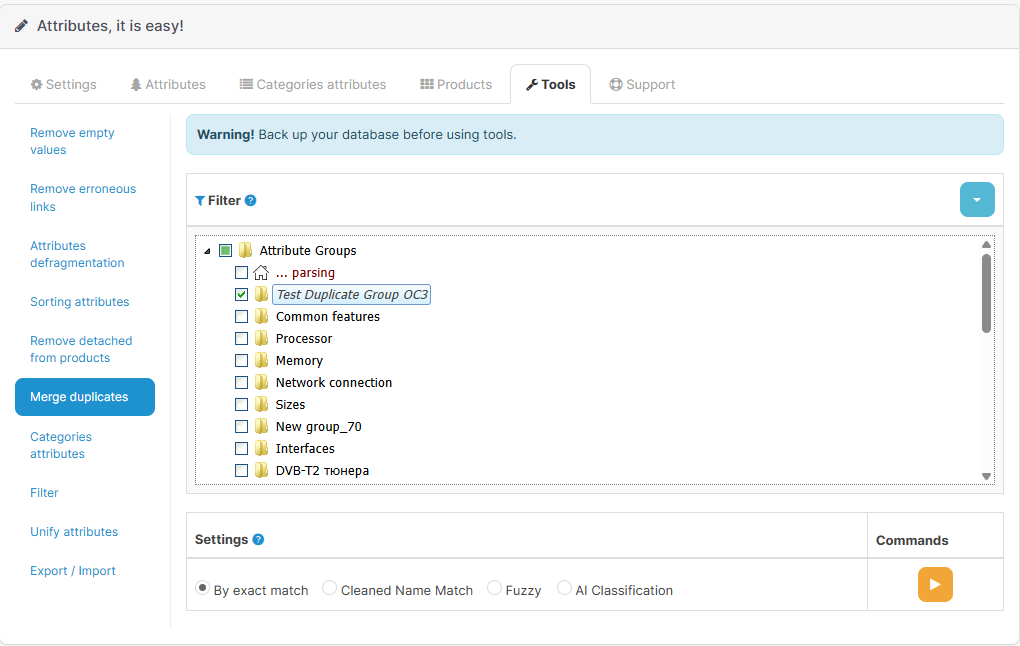
The Deduplicate tool is designed to automatically find and merge duplicate attributes within a specific attribute group. It helps maintain a clean catalog by merging scattered or accidentally created copies of the same attribute into a single record, carefully preserving all values assigned to your products.
 |
|---|
| Deduplicate Tool Interface |
Overview
Over time, attribute directories often accumulate duplicates (e.g., "Color", "color", "Color ", "Product color"). The Deduplicate tool finds such copies in the selected attribute group, elects one primary attribute (the holdkey), transfers all product values and settings from the duplicates to it, and then safely deletes the redundant copies.
Available Modes
Depending on how "cluttered" your catalog is, you can choose one of the following deduplication modes:
1. Strict Match (strict)
This mode performs lightning-fast searches for exact attribute copies. It finds attributes whose names match completely (while ignoring leading and trailing spaces). Recommended for regular database cleanup of obvious duplicates.
2. Cleaned Name Match (match)
A smarter search mode. Before comparing names, it automatically strips units of measurement from them (e.g., cleans "Power, W" to "Power"). After cleaning, it searches for exact case-insensitive matches. Ideal for merging attributes that were created differently just because of appended dimensions.
3. Fuzzy Match (fuzzy)
A mode for complex cases where duplicates contain typos or minor spelling variations. It compares the cleaned names for similarity. If the names match by more than 80%, they are considered duplicates and are merged.
4. AI-Classification (ai)
The most advanced mode, utilizing Artificial Intelligence (OpenAI) for the semantic analysis of your attributes.
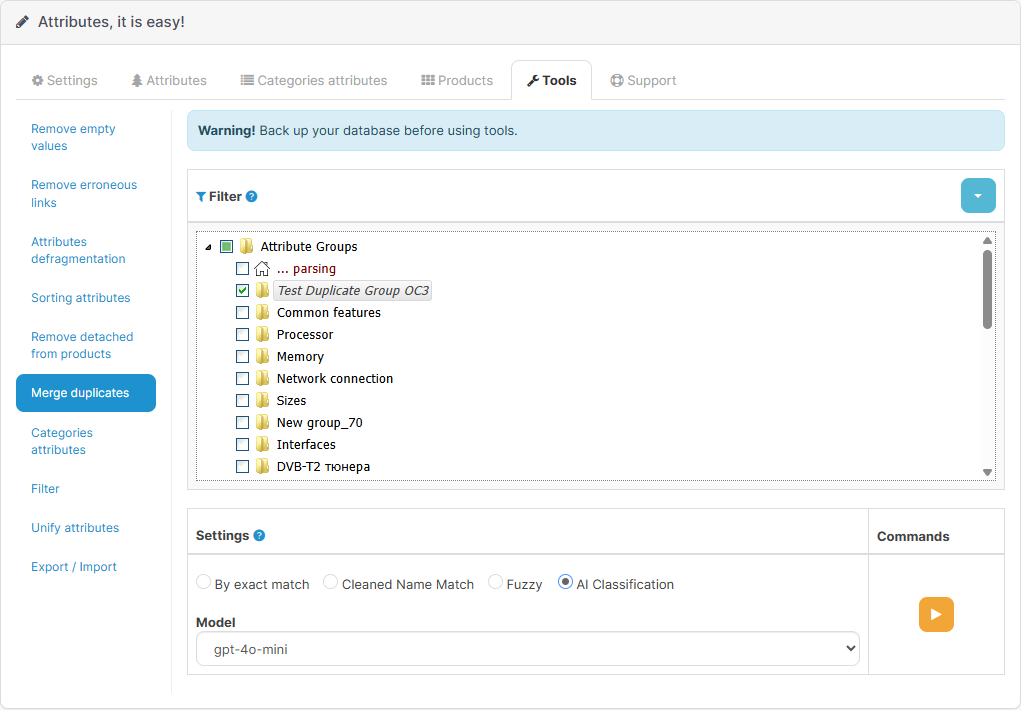
The AI analyzes not only the names of the attributes in the group but also their actual assigned values in products. It then clusters together attributes that mean the exact same thing, even if they are named entirely differently (e.g., "RAM Capacity" and "Memory").
How to use AI Mode
To use the AI mode, follow these steps:
- Ensure you have provided your OpenAI API Key in the module settings.
- Select your preferred AI model (e.g.,
gpt-4o-mini). - Select the Attribute Group where you want to search for semantic duplicates.
- Choose the
aimode from the deduplication mode dropdown list. - Click the execute button.
 |
|---|
| AI Deduplication Settings |
The AI algorithm is configured to strictly differentiate between distinct product components or concepts. For example, it will not merge "Interior color" and "Body color", or "Package Width" and "Product Width", correctly understanding their different contexts.
The AI mode is powerful but relies on semantic meaning. Always test this behavior on smaller or staging groups before applying it to your entire main catalog!
Merge Mechanics
When a duplicate is merged into the primary attribute, the system acts with extreme care:
- Product Values: If a product only had the duplicate attribute, it's simply replaced with the primary one. If a product had values for both attributes, their values are neatly concatenated using the specified separator (e.g.,
/). The system applies a Supplement pattern: if the primary attribute is missing icons, images, or tooltips, they are automatically copied from the duplicate before it is removed. No data is lost! - Duty Templates: Default duty templates for both attributes are combined in the same safe manner. Any empty visual settings in the primary template are also supplemented from the duplicate.
- Category Links: Category display settings are correctly transferred to the primary attribute.
- Global Settings: Global metadata (icon, image, units) of the primary attribute is supplemented from the deleted duplicate if it was empty.
Best Practices
- No Pagination required: Scanning for hidden duplicates is performed efficiently within a single specified attribute group at a time.
- Start simple: It is recommended to first process a group in
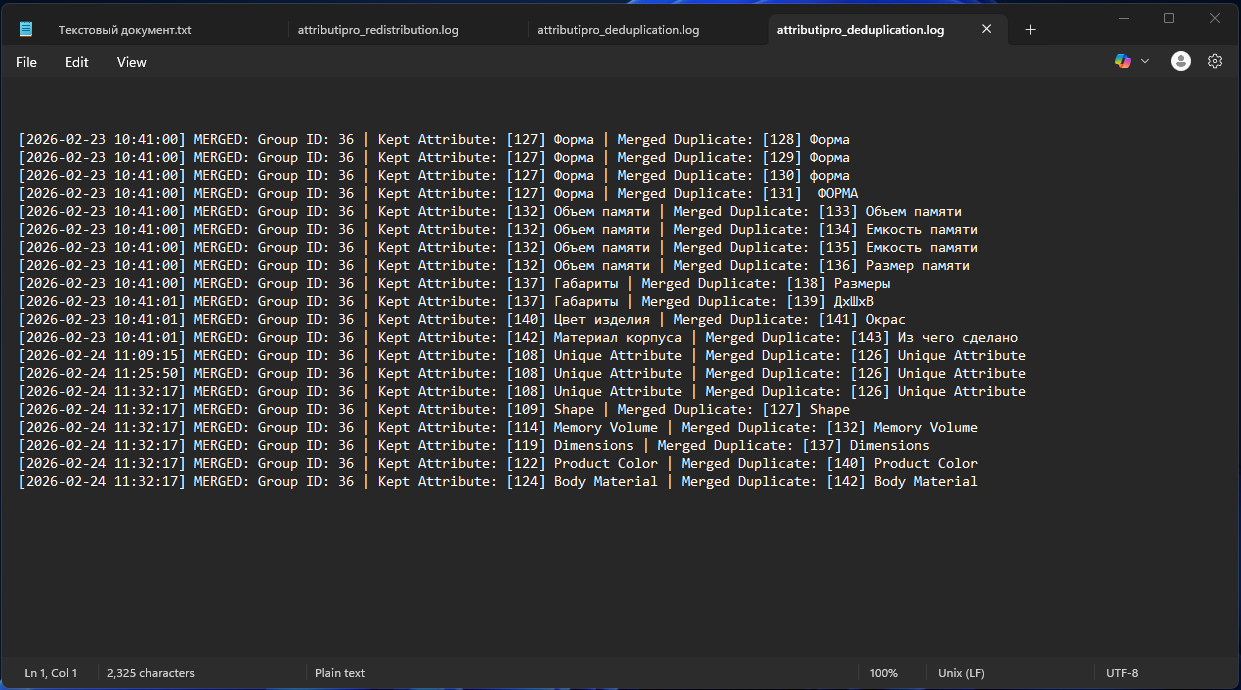
strictmode to quickly merge exact copies, then usematchmode to resolve unit variations, and finally rely onaiorfuzzyto sort out the remaining anomalies. - Check the logs: Every attribute merge process is securely logged. If necessary, you can always check the system logs to see exactly which attributes were merged and which duplicate records were removed.
 |
|---|
| Deduplication Logs |