Category Attribute Support
Integration with the product page allows partial automation of the process of adding Category Attributes to a product.
Adding Category Attributes occurs at the moment the product is "linked" to a specific category or when its visibility in the category is set. Physically, this happens when a checkbox next to a category is selected, or when the Main Category is changed on the Links tab (Ocstore), or when a category is selected from the list (OpenCart).
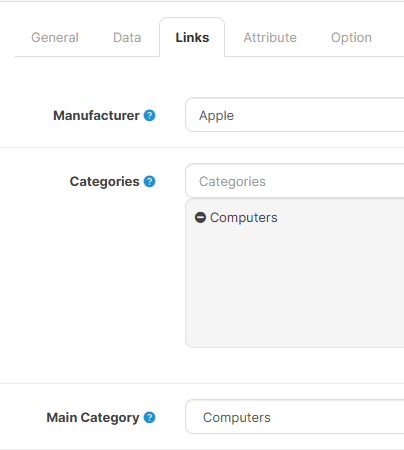 |
|---|
| Category link |
Removing Category Attributes occurs when the product is "unlinked" from a category. The removal must be confirmed in a pop-up window.
Adding Category Attribute Values to a product follows the Method set in the settings of Adding Attribute Values to a Product or the Overridden Method.
To add all Attributes from all categories to which a product is linked, use the Category Attributes button.

The button's function is independent of the setting Add category attributes to products.
Everything described above regarding the addition of Category Attributes and their Values applies to a single, specific, editable product.
If you need to add Category Attributes to all products in a certain category, use the module's Category Attributes feature or the Category Attributes Tool.